Caricature Generator

AI Avatar Generator

Create a polished profile portrait. Add a reference to preserve your likeness and describe the mood, clothing and background.

THE CREATIVE SPACE

AI Avatar Generator

Start with a photo. Finish with a personality.

JPG, PNG or WebP · up to 10 MB · up to 4 references
Art style

Swipe to explore 16 styles. The example updates as you choose.

0/1200

Your creations are saved in My works. Download a copy whenever you need it.

Your caricature1:1 · 1K
Style preview

Style preview

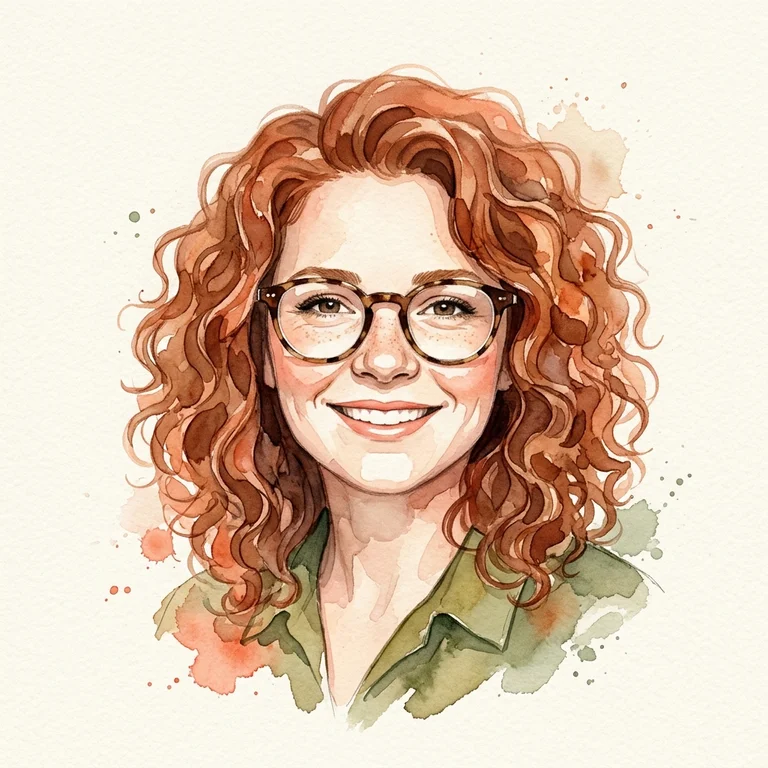
AI-generated style example · your result will use your own photo and settings.

No watermark·Credits returned on failure
AI Avatar Generator

Make the image fit the way you will use it

Create an AI avatar from a portrait photo or a written character description. A centered face, complete hair silhouette and uncluttered background help your profile picture stay readable when shown as a small circle. Choose from 16 artistic styles, then compare a gentle pencil portrait with a more playful 3D or watercolor interpretation.

AI-generated style example · your result will use your own photo and settings.

What you can create

Build a recognizable profile for a community, team directory, gaming account or personal website. Use the same art direction and background across several team members for a coordinated set. For a professional profile, ask for a relaxed expression and restrained styling; for a community avatar, describe a favorite hobby or accessory.

A better starting photo and prompt

Use a sharp front-facing photo in natural light. Avoid sunglasses, heavy filters and hands covering the face. Describe the clothing, background color and intended mood in a short prompt. Square 1:1 works well for profile images. Request breathing room around the head so a later circular crop does not cut into the hair.

Before you download

This is a stylized illustration, not an identity document or an exact facial reproduction. Studio generates 1K images; Pro generates 2K images. Download the original from your private library, compare versions and continue editing with another paid generation when you want a different finish.

Questions about this tool

Can I start without a photo?

Yes. Describe your character, scene or brand in the prompt. For an avatar of a specific person, a clear authorized photo gives the model an identity reference.

What resolution and file do I get?

Studio uses 1K output and Pro uses 2K output. The selected aspect ratio determines the image shape. Download the original PNG in your private library; this tool does not export editable layers or SVG files.

How do credits and further edits work?

A Studio generation uses 5 credits; Pro uses 10. Continuing an edit sends the saved result as a new reference and creates another charged generation. Monthly, annual and one-time options are on the pricing page. A failed task returns its credits once.